
Download Amazon Chime APK – video conferencing, online meetings, virtual meetings, team collaboration, remote work
Overview
Amazon Chime is a desktop and mobile communication tool designed to simplify online meetings and team collaboration across distributed teams. The software enables users to connect in real time through video, voice, and chat, making it a viable option for remote work environments and businesses seeking affordable alternatives to established platforms like Google Hangouts and Skype. Its primary purpose is to reduce the complexity of scheduling and joining meetings, allowing users to initiate conversations with a single click or tap. The application supports cross-device continuity, meaning users can seamlessly switch between desktops, laptops, tablets, and smartphones without disrupting ongoing sessions.
Amazon Chime is particularly suited for small to medium-sized businesses, remote teams, freelancers, and individuals who require reliable tools for client consultations and project coordination. It is developed by Amazon, a major technology company with extensive experience in cloud infrastructure, which lends credibility to the platform’s scalability and security. While the software is not explicitly described as being tailored for enterprise-level deployment, its feature set suggests it can support growing teams. Real-world use cases include daily stand-ups, client presentations, collaborative brainstorming, and remote onboarding sessions.
Key Features & Capabilities
- One-Tap Meeting Access: Users can start or join meetings instantly using a meeting link or URL, minimizing setup time and technical barriers.
- Screen Sharing and Remote Desktop Control: Participants can share their screens or allow others to control their desktops during sessions, enhancing collaboration during technical reviews or training.
- Chat Rooms and Messaging: Persistent chat channels support text-based communication, file sharing, and message history, enabling asynchronous team coordination.
- Meeting Recording: Sessions can be recorded for later review, useful for training, compliance, or documentation purposes.
- Multi-Device Compatibility: The application functions across Android, iOS, Windows, and macOS, allowing users to join from any device with internet access.
- Automatic Reconnection: If a connection is lost, the system attempts to restore the session, improving reliability during unstable network conditions.
These features collectively streamline workflows in remote and hybrid work environments. For example, a freelancer can start a client meeting from their tablet, share a design mockup via screen sharing, and record the session for future reference. Similarly, a small business team can use chat rooms to maintain project updates between meetings.
User Interface, Workflow & Performance
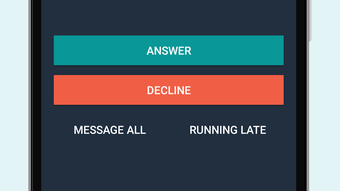
Amazon Chime features a clean, intuitive interface focused on accessibility and speed. The main dashboard displays active meetings, upcoming events, and recent chat conversations, allowing users to quickly navigate between functions. Navigation is straightforward, with clearly labeled icons for video, audio, screen sharing, and chat. The workflow emphasizes minimal steps to initiate a meeting, aligning with the software’s goal of simplicity.
While performance details were not specified by the developer, general software behavior suggests stable operation under typical network conditions. The application appears optimized for responsiveness, with low latency expected during video and audio transmission. The developer did not provide specific information about CPU or RAM usage. Stability during extended sessions has not been independently verified, but the automatic reconnection feature indicates efforts to maintain session integrity. Overall, the user experience is functional and efficient, though some users may find the interface less polished compared to more mature platforms.
Compatibility & System Requirements
Amazon Chime is available for Android devices, with the current version being 4.23.2. The installation size is 86.5 MB, which is relatively lightweight for a communication tool with multimedia capabilities. The software is designed to run on modern Android devices, though specific hardware requirements such as minimum RAM, processor speed, or Android OS version were not provided by the developer.
Compatibility with desktop platforms is implied through the existence of separate applications for Windows and macOS, but details about those versions were not included in the input. The developer did not specify exact system requirements for desktop use. Platform compatibility information is limited to Android, and users are advised to ensure their device meets general Android standards for app installation and operation.
Pros and Cons
Pros
- Free Basic Plan with essential meeting functionality
- One-click meeting access for quick collaboration
- Supports screen sharing, chat, and meeting recording
- Available across multiple platforms including Android, Windows, and macOS
- Automatic reconnection improves session reliability
- Scalable pricing with Pro Plan for larger teams
Cons
- Basic Plan limits meetings to two users
- Limited features in the free tier
- Interface may feel less refined than established platforms
- No detailed system requirements provided
- Performance under heavy load not verified
FAQ Section
Is Amazon Chime available for free?
Yes, Amazon Chime offers a free Basic Plan that includes core meeting features. Additional features and higher participant limits are available through paid plans.
Can I use Amazon Chime on my Android device?
Yes, Amazon Chime is available as an APK for Android devices. It supports video, voice, and chat functions on smartphones and tablets.
Does Amazon Chime support offline usage?
Amazon Chime requires an active internet connection to function. It does not support fully offline operation.
How often are updates released?
Amazon regularly updates the application to improve performance, add features, and address security issues. The latest version is 4.23.2, released on April 12, 2024.
Is Amazon Chime secure?
As a service developed by Amazon, it benefits from the company’s robust cloud security infrastructure. However, specific security certifications or compliance details were not included in the provided information.
Final Thoughts + CTA
Amazon Chime stands out as a practical, affordable solution for teams and individuals seeking reliable online meetings and collaboration tools. Its emphasis on simplicity, cross-device access, and essential features makes it well-suited for small to medium-sized businesses, remote workers, and freelancers. While the user interface may not match the polish of more established platforms, its functionality and value proposition are compelling, especially given the free tier. The inclusion of screen sharing, chat, recording, and automatic reconnection enhances its utility across various professional scenarios.
For users prioritizing ease of use and cost-effectiveness, Amazon Chime offers a solid foundation for remote work and team coordination. With scalable plans and consistent updates, it continues to evolve as a strong contender in the video conferencing space.
Download Amazon Chime APK now






.png)
